
Payroll — Tax Forms (T4)
Overview
The Tax Forms screen manages T4 slips for a client’s employees. A T4 (Statement of Remuneration Paid) must be issued to every employee who received remuneration during the calendar year, and a T4 Summary must be filed with the CRA by the last day of February following the tax year. Kuberan AI compiles the T4 data automatically from all processed pay runs for the year. From this screen you can generate slips for all employees at once, review individual slips, issue amendments for corrections, mark slips as filed, and download PDFs.
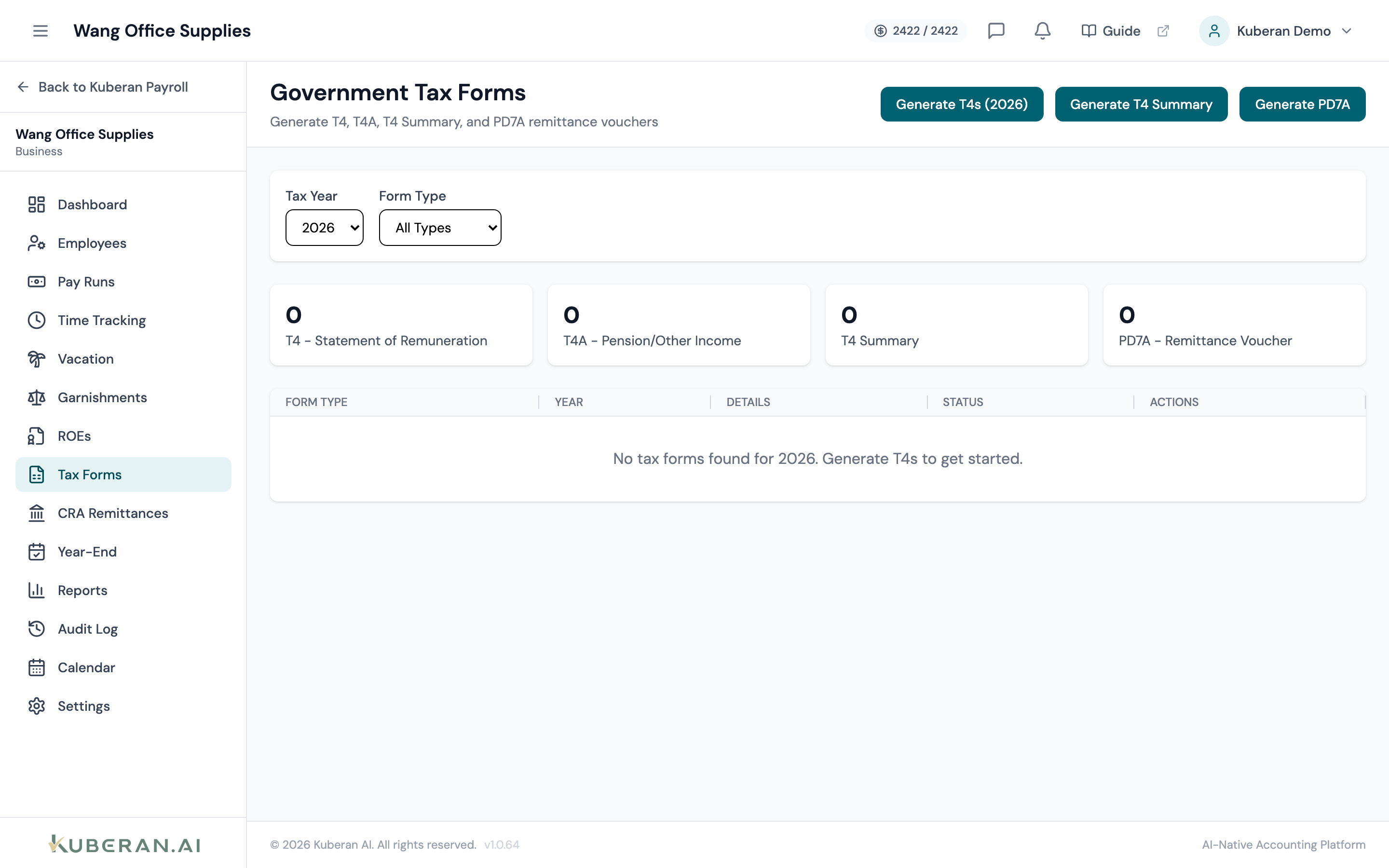
- (1) Tax year selector
- (2) Generate T4s for All Employees button
- (3) Employee name and SIN (masked)
- (4) Status badge — Draft, Amended, or Filed
- (5) Review, Amend, Download, Mark as Filed actions
Screen Layout
Toolbar (top): Tax year selector, Generate T4s button, and an Export All button.
T4 table: One row per employee showing their name, masked SIN, total employment income (Box 14), income tax deducted (Box 22), CPP deducted (Box 16), EI deducted (Box 18), and the current slip status.
T4 Slip Statuses
| Status | Meaning |
|---|---|
| Draft | T4 data has been compiled from pay runs but not yet reviewed or distributed. |
| Amended | An original T4 was filed but has since been corrected. An amended T4 (marked with “A” on Box 14) will replace the original. |
| Filed | The slip has been distributed to the employee and the T4 Summary has been filed with the CRA. |
Key T4 Boxes
Kuberan AI populates the following boxes automatically from pay run data:
| Box | Description |
|---|---|
| 14 | Employment income |
| 16 | Employee’s CPP contributions |
| 17 | Employee’s QPP contributions (Quebec only) |
| 18 | Employee’s EI premiums |
| 22 | Income tax deducted |
| 26 | CPP/QPP pensionable earnings |
| 24 | EI insurable earnings |
| 44 | Union dues (if configured as a deduction) |
| 46 | Charitable donations (if configured) |
| 52 | Pension adjustment (if applicable) |
Actions
Generate T4s for All Employees
- Select the tax year from the year selector dropdown (defaults to the most recently completed calendar year).
- Click Generate T4s for All Employees.
- Kuberan AI totals all pay run amounts for each employee across the selected year and creates a T4 slip in Draft status for each one.
- A progress indicator shows when generation is complete. The table populates immediately.
T4 generation is non-destructive — if you run it a second time, existing Draft slips are overwritten with fresh data from the pay runs. Filed slips are not overwritten.
Review an Individual T4
Click Review on any row to open the T4 slip in a side panel. The panel shows every populated box, the source pay runs that contributed to each total, and any warnings (e.g., “CPP over-deducted” or “Insurable earnings exceed the annual maximum”). Correct any issues by voiding and re-processing the affected pay runs before filing.
Amend a T4
- Find the employee’s T4 and click Amend (available on Filed slips only).
- In the amendment form, enter the corrected box amounts. Kuberan AI shows the original value and the new value side by side.
- Select the reason for amendment.
- Click Save Amendment. The slip status changes to Amended.
- Distribute the amended T4 to the employee and re-file with the CRA.
Mark as Filed
Once you have distributed the T4 to the employee and submitted the T4 Summary to the CRA, click Mark as Filed on each slip. You can also select multiple slips using the checkboxes and click the bulk Mark as Filed button in the toolbar.
Download T4 PDF
Click the download icon or Download PDF on any row to generate a CRA-formatted T4 PDF. The PDF uses the official T4 layout and can be printed and given directly to the employee. To download all slips for the year as a single PDF package, use Export All in the toolbar.
T4 Summary
The T4 Summary (form T4SUM) is filed once per employer per year and summarises the total amounts from all T4 slips. Click Generate T4 Summary at the top of the screen to produce the T4SUM automatically. Review it before filing. The summary must be submitted to the CRA by the last day of February.
Tips
- File on time. The deadline to issue T4s to employees and file the T4 Summary is the last day of February each year. Late filing penalties start at $100.
- Box 14 vs. T4A. T4 slips are for employment income. If the client paid contractors or self-employed individuals, those amounts go on a T4A, which is managed separately.
- Quebec employees require both a federal T4 and a provincial RL-1 slip. The RL-1 is generated on the same screen when the employee’s province of employment is Quebec.